
ITQB NOVA Elections 2022 – Guide to Electronic voting
Voting in the 2022 elections will be in person, by depositing a ballot paper in a ballot box.
However, in duly justified exceptional cases in which in‐person voting is not possible, voting may be carried out electronically. In these cases, the following guidelines apply:
- The electoral calendar includes six voting phases, each of which includes a possible tie‐breaking vote. Electronic voting, whenever requested for one of the phases, must be carried out in this way for the main and tie‐breaking voting in that phase.
- Requests for electronic voting must be requested and justified to the Electoral Commission up to 24 hours before the opening of the polls for the first vote of each of the electoral phases, through the e‐ mail comissaoeleitoral2022@itqb.unl.pt.
The following pages contain detailed instructions about the electronic voting procedure. Please address all comments and questions to comissaoeleitoral2022@itqb.unl.pt.
- On the day of the vote you will receive an e‐mail from comissaoeleitoral2022@itqb.unl.pt looking more or less like this:
Dear <your name here>,
Election for the Institute Council – Stage 1, Day 1
Election URL (click to begin voting): https://voting.itqb.unl.pt/helios/e/test11/vote
Your voter ID: <your e‐mail ID> Your password: xsb3y2ofH7
In order to protect your privacy, this election is configured
to never display your voter login ID, name, or email address to the public. Instead, the ballot tracking center will only display your alias.
Your voter alias is V9.
IMPORTANTLY, when you are prompted to log in to vote, please use your *voter ID*, not your alias.
You may wish to verify the election fingerprint at the bottom of
the screen when you vote: frSqWk50E541VmUQ7q/mNpEwbdvurnhOVG4PARtuQyw
‐‐ Helios
- When you click on the link provided you will see a screen on your browser similar to this one:
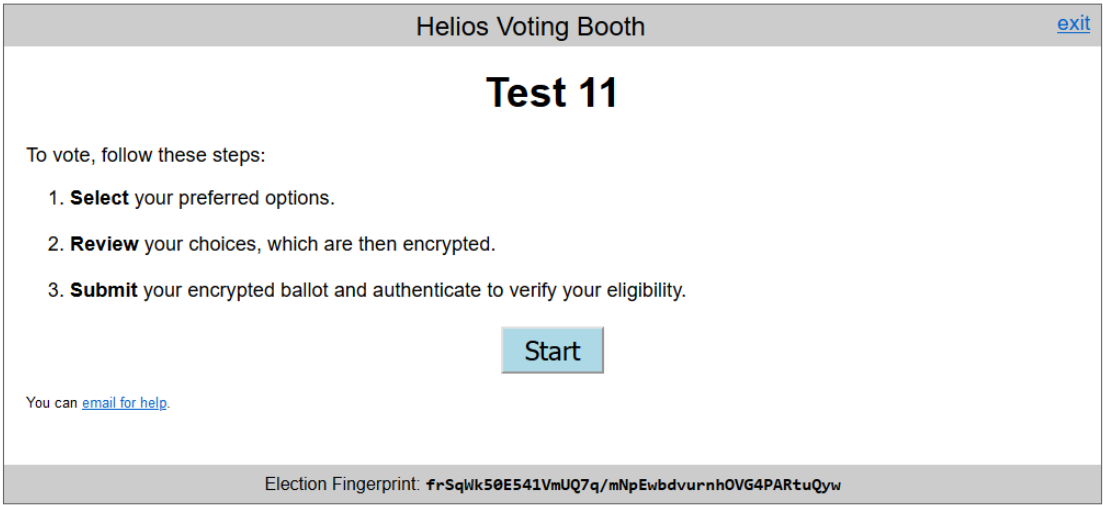
You can check the Election Fingerprint against that provided in the e‐mail: frSqWk50E541VmUQ7q/mNpEwbdvurnhOVG4PARtuQyw
- When you click on the START button you will access the ballot for the election you are voting on:
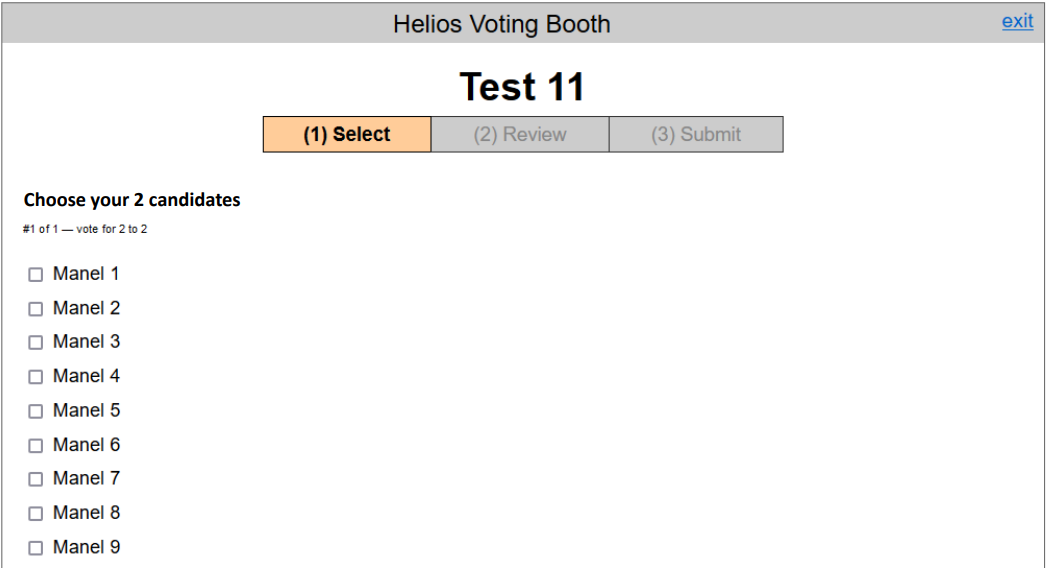
- You now must click on the number of boxes required in the ballot (2 in this case)
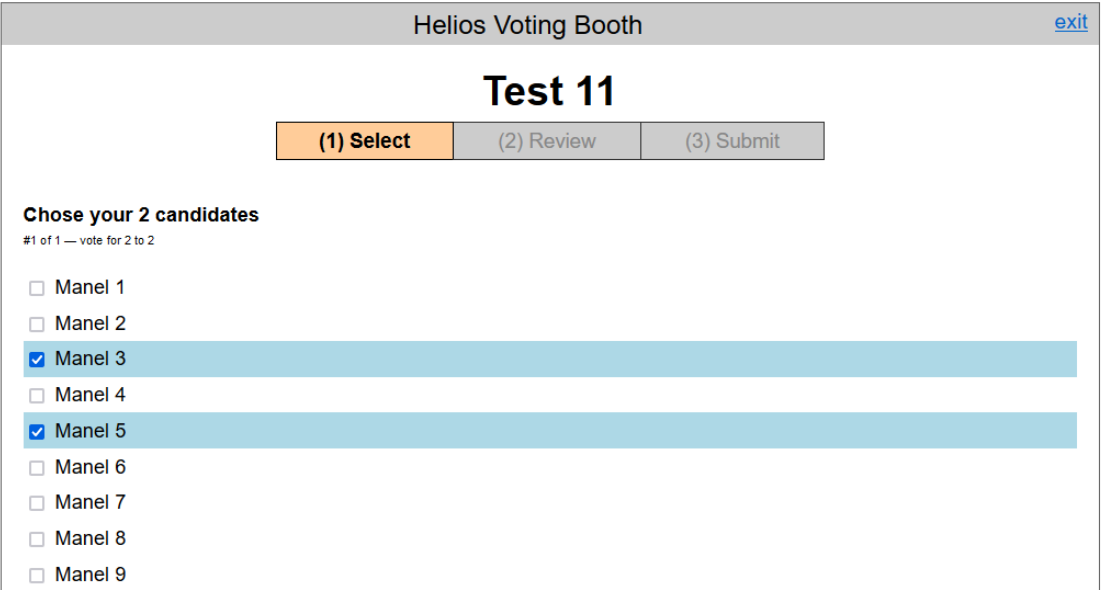
- VERY IMPORTANT! If you wish to cast a BLANK BALLOT, you must click on the number of “Voto em branco” boxes required in the ballot (also 2 in this case).
- Once you have made your candidate selection, you must click on the Proceed
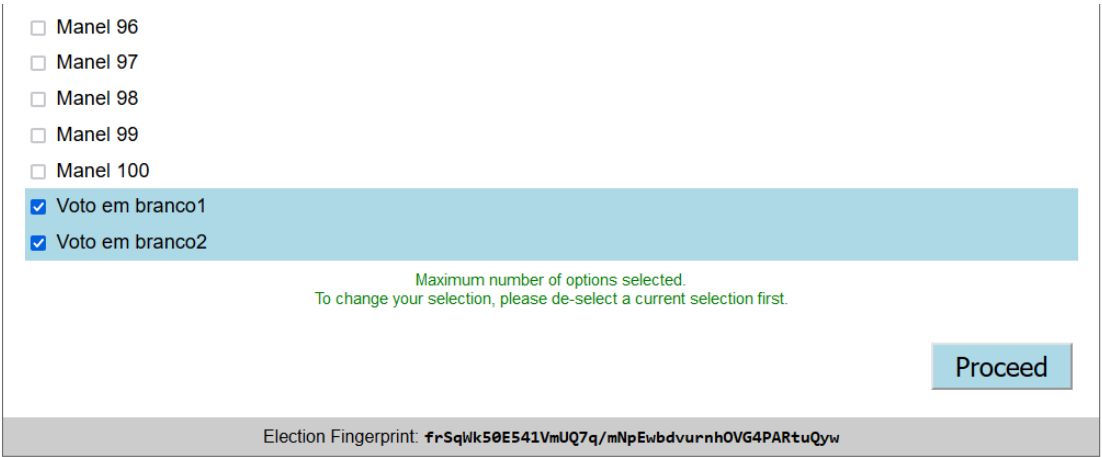
- The system will now encrypt your vote
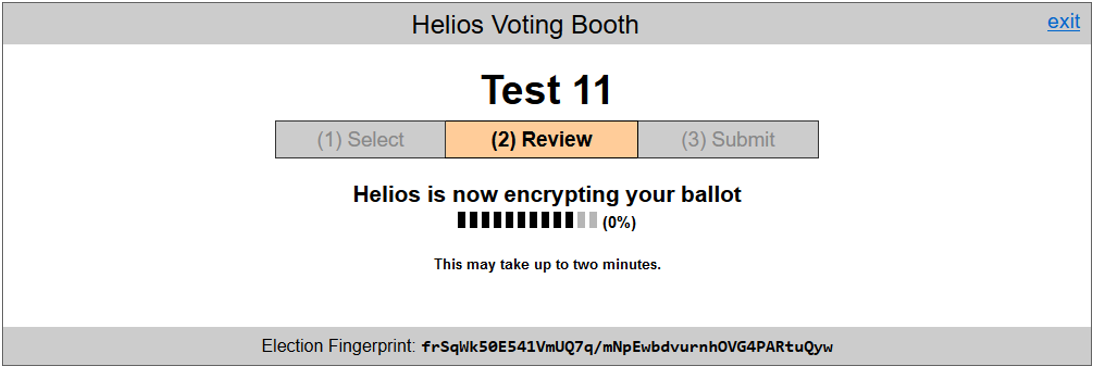
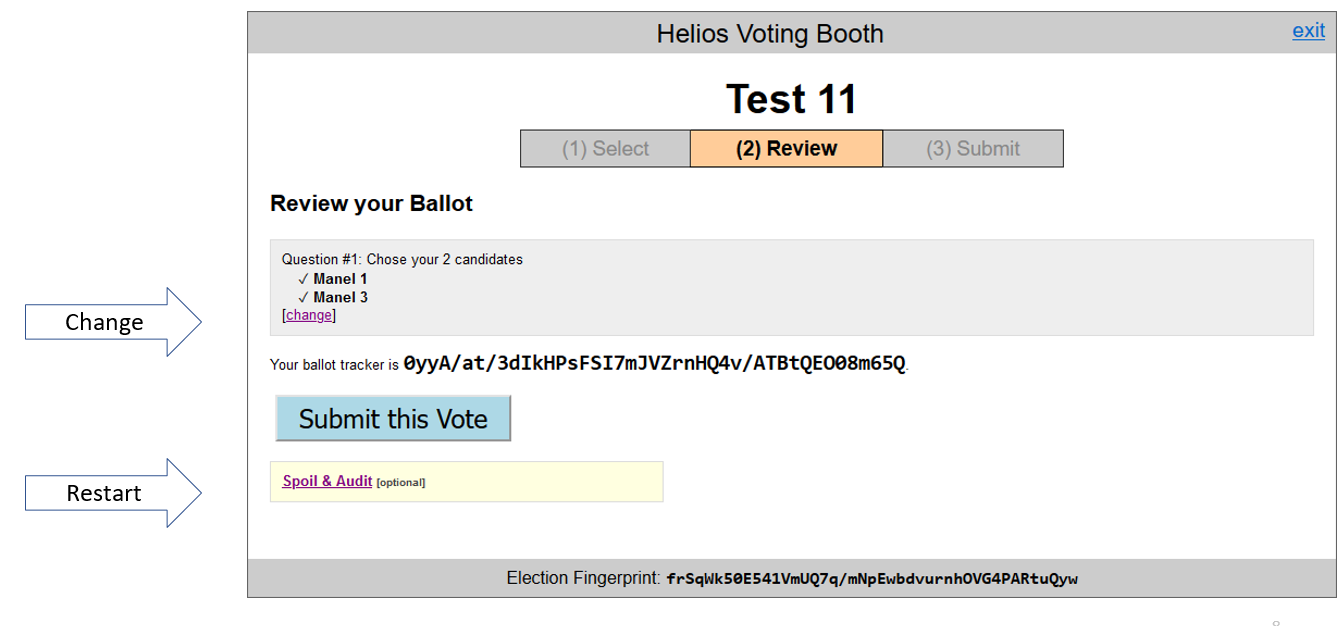
- Once that is done, you can still change your vote or restart the whole
- Or, you can click on the Submit this Vote button to submit your
- To finalize the process you need to authenticate the ballot using the voter ID and password received by e‐mail
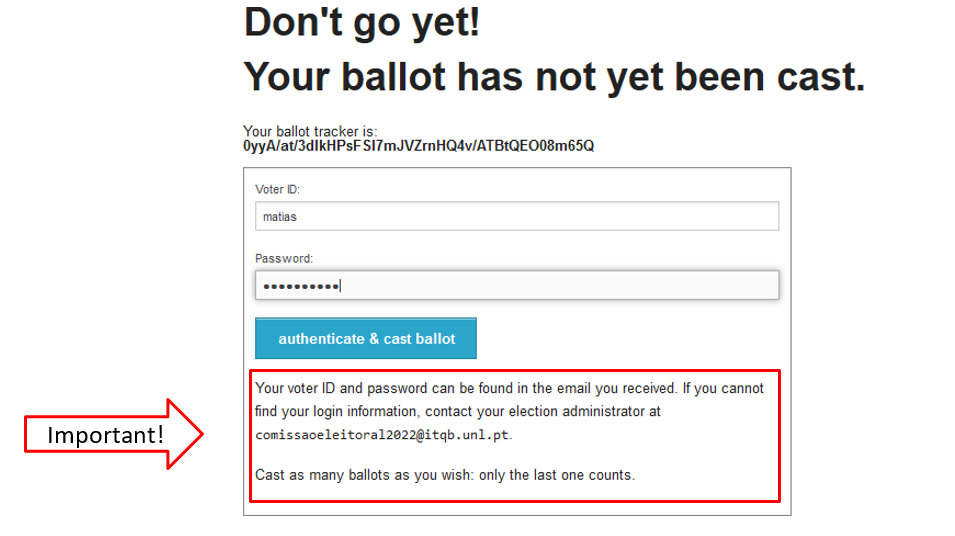
- After you click on the Autheticate and cast ballot button you should see a page similar to this one:
